











In Microsoft Dynamics 365 Business Central, there are various journals available when controlling inventory. This quick guide gives a rundown of what each option provides and the best time to use them.
To confirm whether system quantities match physical stock, carry out a stock count. That is, count the actual items on hand. Stock counts usually happen at the end of a fiscal year, but some businesses count items more often. Enter the actual quantities to the item and on posting the differences Business Central ensures accuracy for the inventory valuation. This is what the physical inventory journal provides within Business Central.
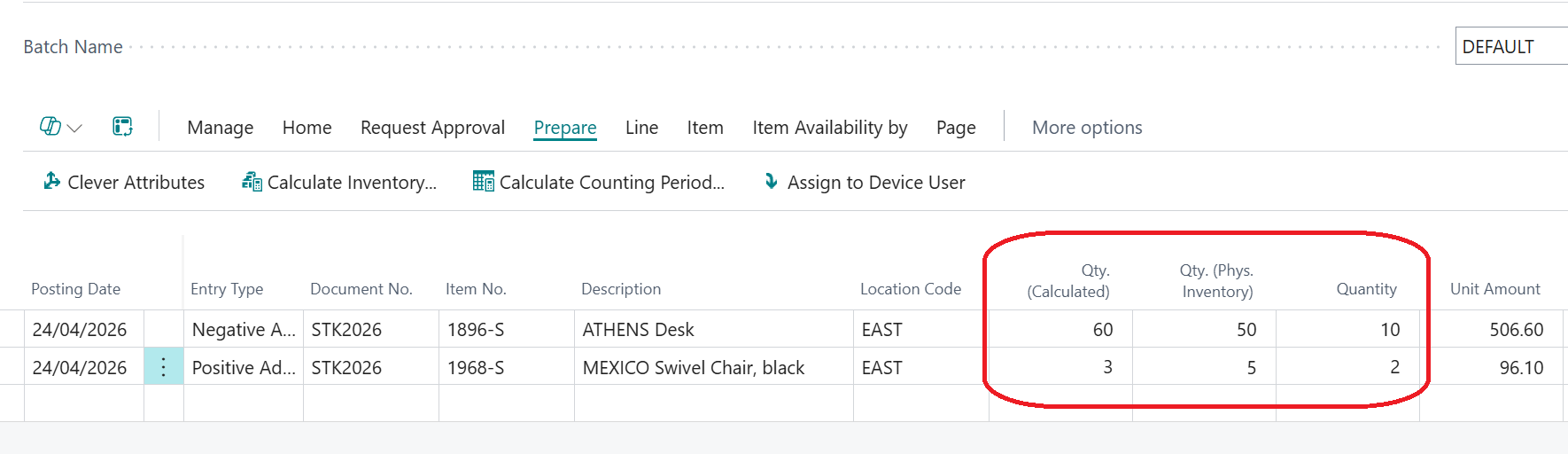
Physical inventory journals are also particularly useful when subsets of items should be counted on a more regular basis, perhaps because they are high value in conjunction with cycle counts. Cycle counts assign special counting periods to the items, and this allows counting during quieter periods or alongside normal operations.
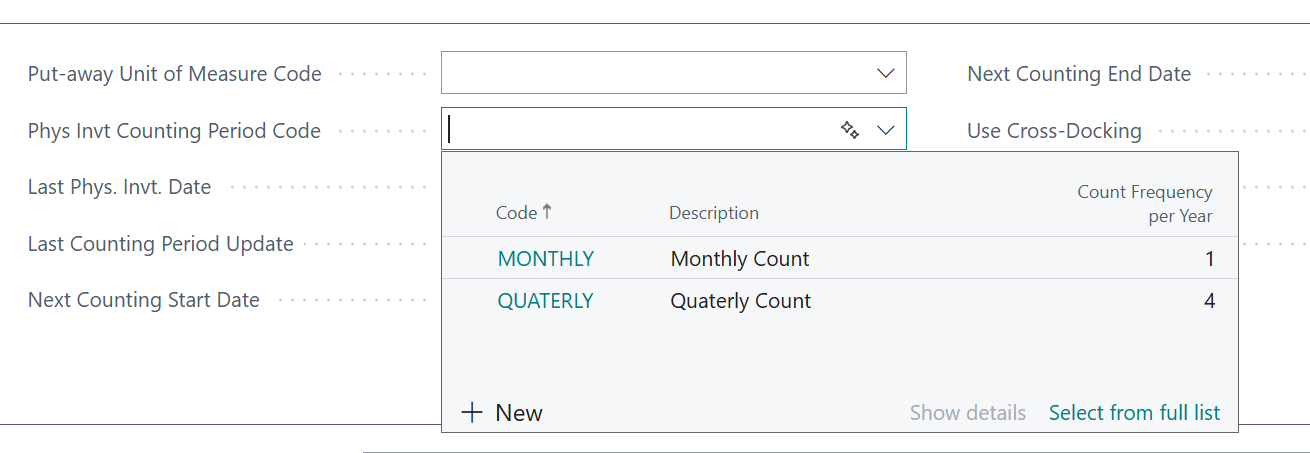
Instead of finding issues once a year they can be caught earlier, keeping your stock closer to reality. Cycle counts can focus effort where it matters with high value of fast-moving items counted more often and low value items less often.
When stock needs to be manually adjusted without going through a full process like purchasing, sales or warehouse documents then item journals are the most common use. Typical examples are writing stock off if it has been damaged or expired goods and to correct mistakes. Positive or negative adjustments allow for manual adjustment to reflect the found issue.
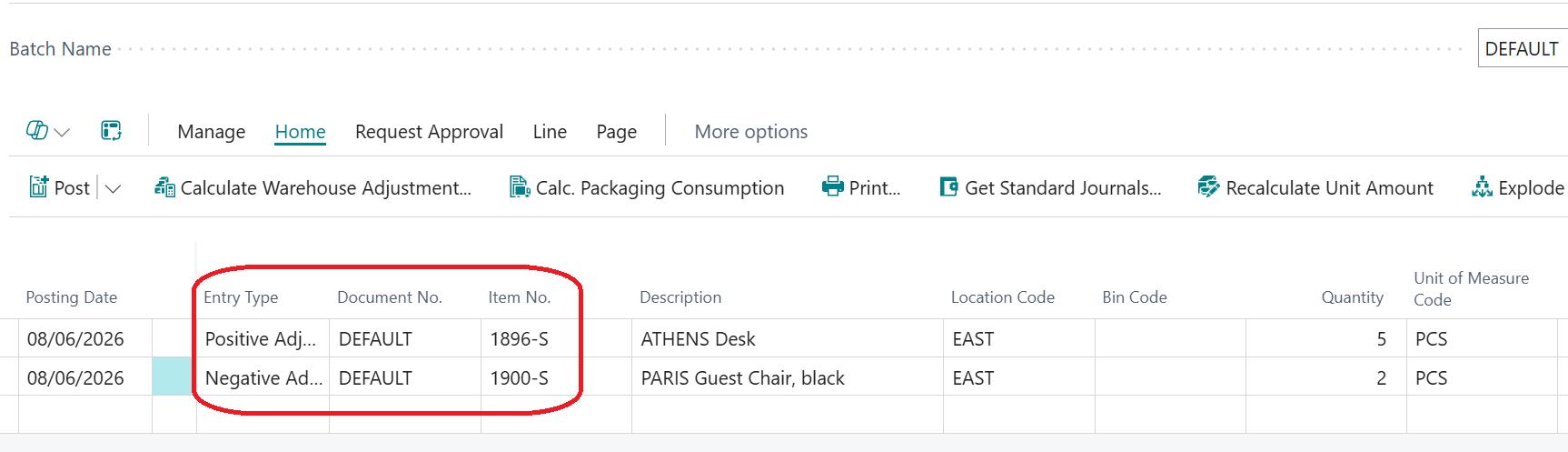
If stock changes outside normal buying, selling or warehouse processes, item journals provide a quick, controlled way to correct it in the system
Adjusting stock quickly can also be achieved via the inventory field on the item card. Provided the Allow Inventory Adjustment flag has been set on inventory setup, stock quantities can easily be corrected.
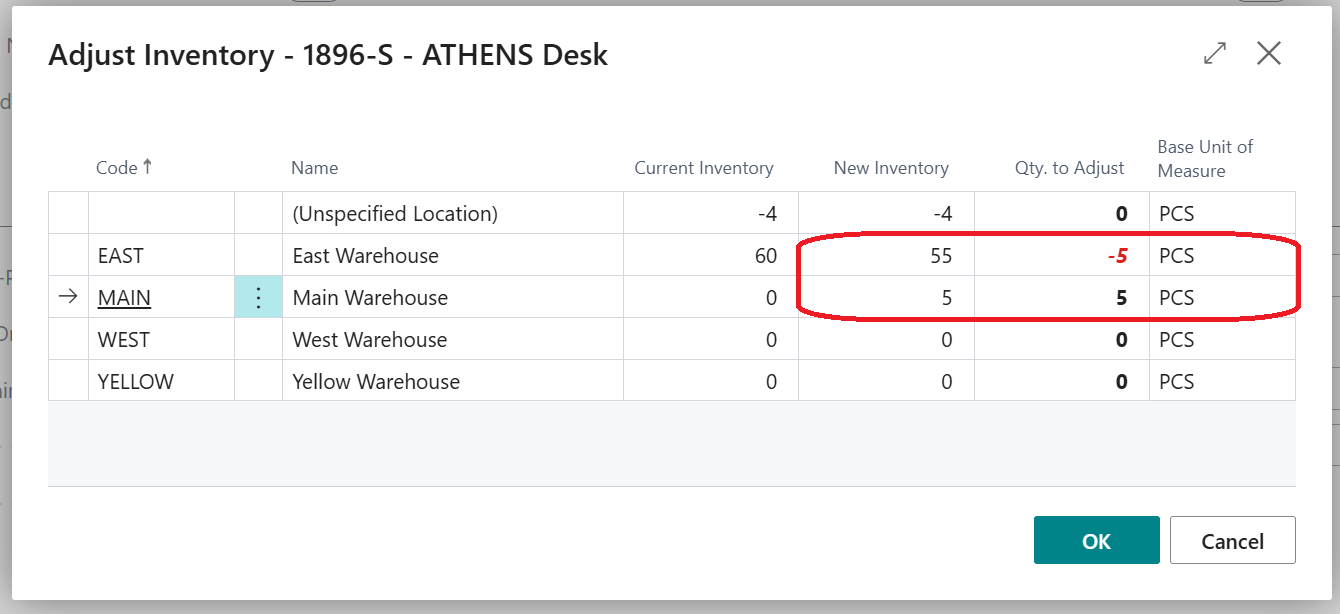
The locations listed are those that do not use bins, keeping stock processes for those more configured locations.
The final journal for review is the item reclassification journal which is for the scenario when you are not adding or removing stock but rather that the stock is still here but something about it has changed.
Examples of this is when moving stock between locations and bins, the quantity stays the same, it’s just sitting in a different location.
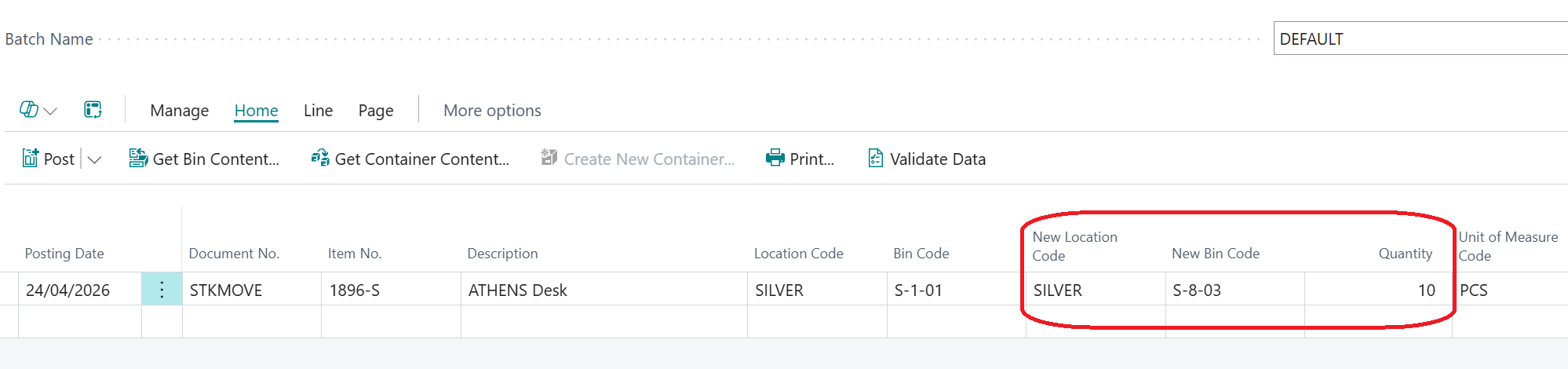
When using item tracking the ability to reassign lot numbers or change expiration dates makes for easy correction for mistakes at goods in.


The item tracing page within Business Central keeps a record of these types of transactions for traceability reasons.

Even merging lots is easy in the item reclassification journal. Checking the item availability by lot to confirm the quantity available for each lot first.
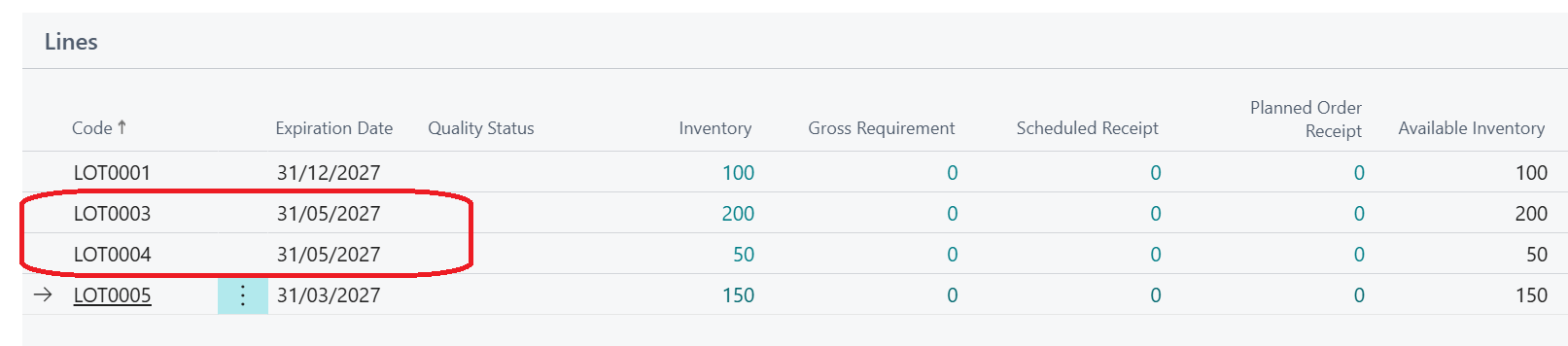
Selecting the highlighted lots for the item reclassification journal will merge into one new lot or existing lot as below.

Item tracing again keeping track of those changes:

All of these methods when using basic warehousing can help with accuracy to reflect proper stock quantities and accurate inventory valuation.
For Business Central training, or a conversation about moving your Business Central support to Tecman, drop us your details today.