










The new Excise Tax functionality in Microsoft Dynamics 365 Business Central gives businesses a single, built-in way to calculate and track product-specific duties, removing the need for spreadsheets and external tools.
The flexible framework supports duties based on weight, volume, quantity, sugar content, alcohol content and similar measures. These duties can be calculated automatically through Excise Journals, with tax amounts generated directly from Item Ledger entries.
Effective From dates let businesses set future duty-rate increases in advance, so calculations stay accurate and compliant as rates change. The same framework will also support sustainability initiatives such as CBAM and EPR, helping organisations prepare for future environmental reporting requirements.
Before reviewing the functionality, it’s important to note the following:
• This is not a complete compliance solution. Instead, it provides the initial framework needed to support excise tax management.
• Not all statutory reporting requirements are out of the box.
• Only one Excise Tax Type can be assigned to an item or fixed asset.
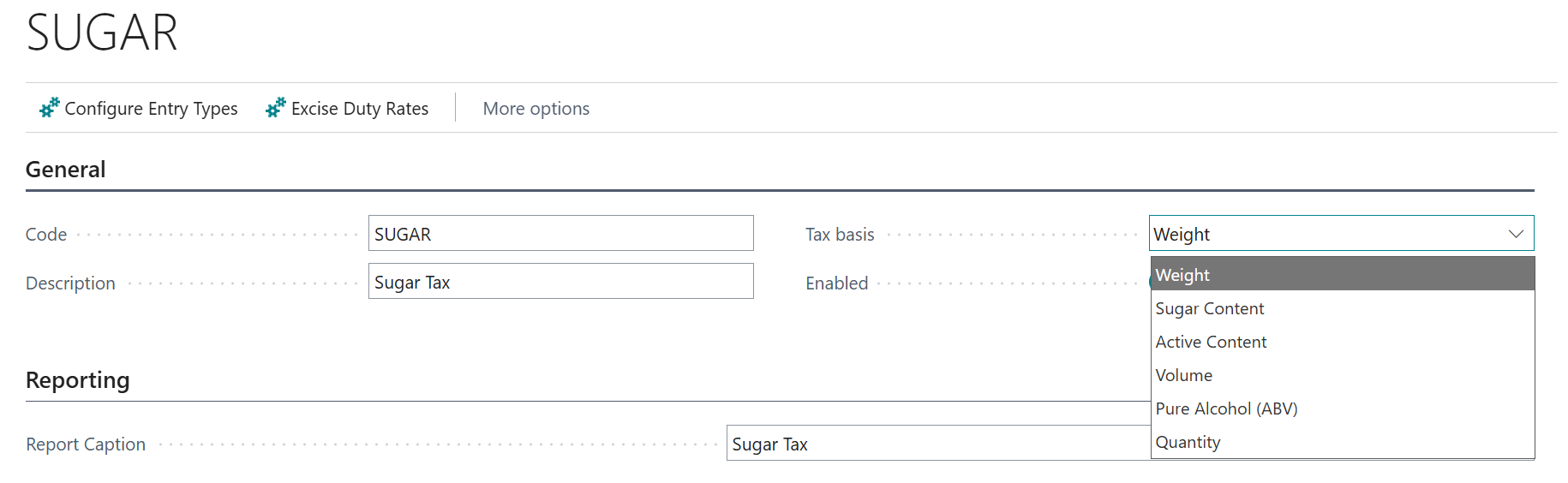
Each Excise Tax Type requires a tax basis, selected from the options below.
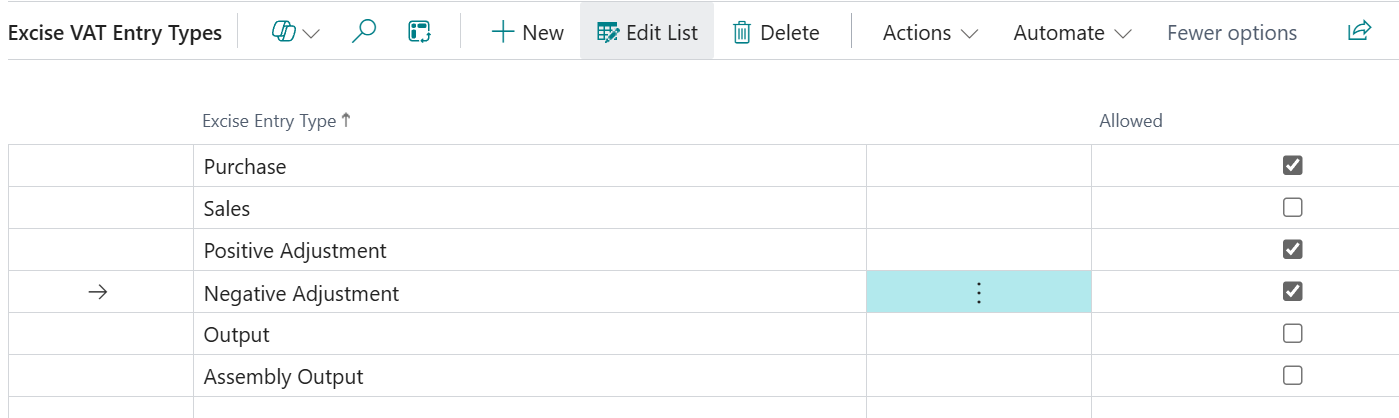
You can choose which transaction types contribute to the excise tax calculation. Once configured, default duty rates can be assigned with an effective date.

Finally, assign the Excise Tax Type to the relevant item and ensure all three fields are completed.
The Excise Journal allows users to generate Excise Tax Entries. Separate batch names can be created for different taxes.
Note that CBAM and EPR are not your typical excise tax, but the same tax framework will be used to support the upcoming sustainability and environmental charges.
CBAM = Carbon Border Adjustment Mechanism, environmental levy designed to account for the carbon emissions embedded in imported goods
EPR = Extended Producer Responsibility, legislation that makes producers responsible for the environmental costs of products and packaging after sale.
Entries are generated from item ledger entries based on the selected date range, item or fixed asset and Excise Tax Type filters. The journal uses the source details and Excise Tax Quantity and Rates to calculate the Tax Amount.

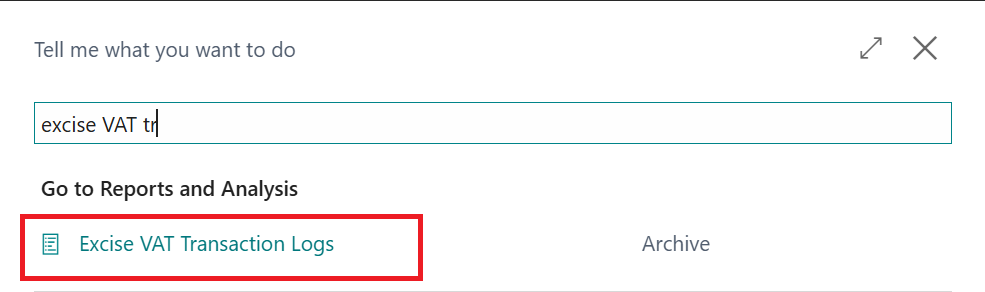
Once the journal is Registered the transactions can then be viewed from the Excise VAT Transaction Logs.
For Business Central training, or a conversation about moving your Business Central support to Tecman, drop us your details today.