









In Microsoft Dynamics 365 Business Central, a customer, vendor or employee can traditionally only have one posting group. This posting group determined the General Ledger accounts used for revenue, cost, payables, receivables and expense allocations.
However, many organisations work with customers or vendors who supply different types of goods or services. Each type often needs separate G/L postings.
For example:
Before, there was no way to change the posting group at the time of the transaction.
By enabling Allow Multiple Posting Groups in Business Central, you can choose a different posting group for a customer, vendor or employee at the point of posting the transaction. You are no longer restricted to the default posting group set on the master record.
This gives you the flexibility to decide how transactions post to the General Ledger.
You can activate this setting in Sales and Receivables Setup, Purchases and Payables Setup and Human Resources Setup in any area where the above scenarios apply.

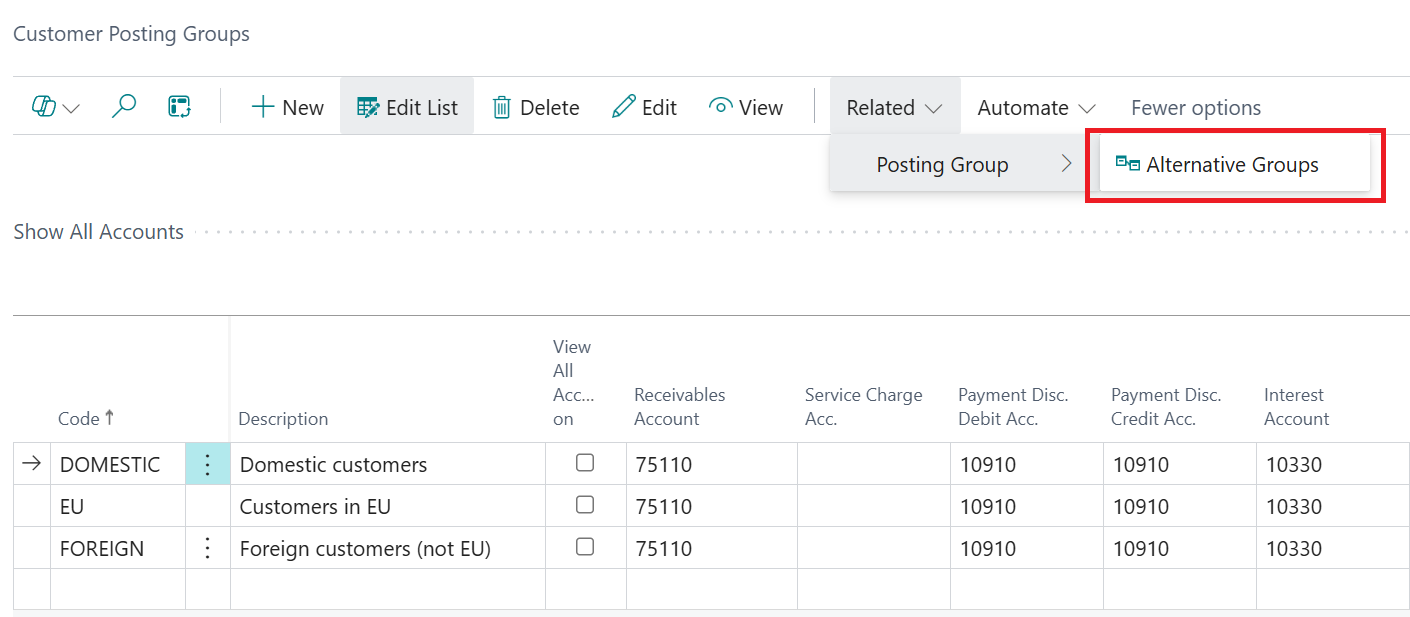
Once enabled, you can assign alternative posting groups to customers, vendors or employees from the relevant posting groups page, such as Customer or Vendor Posting Groups.
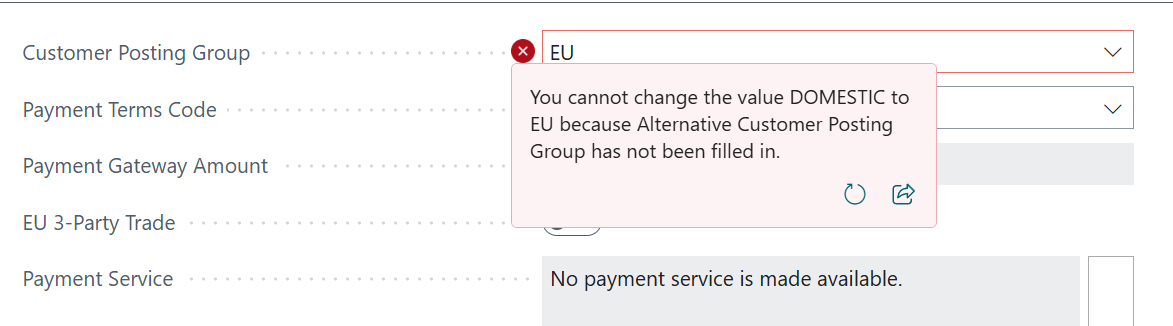
Note: The customer card must allow multiple customer posting groups. Otherwise, the field will not be editable on the document.
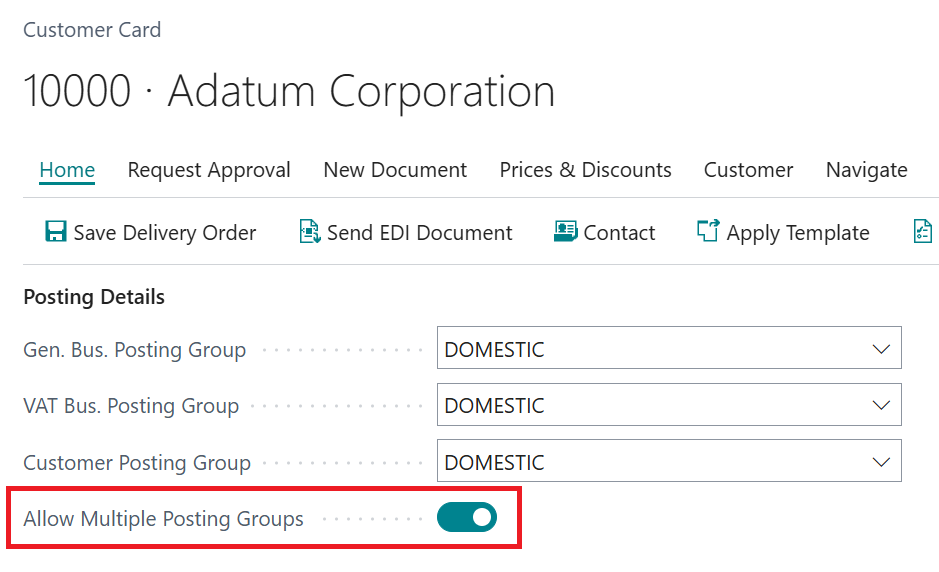
The alternative posting groups chosen on the document are validated, so users can’t select an option that does not apply to the scenario.
Keep in mind that this feature does not:
Where it applies, Business Central gives you greater control over how each document posts to the General Ledger.
For Business Central training, or a conversation about moving your Business Central support to Tecman, drop us your details today.