










At the end of each month, your finance team needs to make sure every sale, purchase, payment and expense has been recorded correctly. That’s where Microsoft Dynamics 365 Business Central’s General Ledger (G/L) Review comes in.
Instead of spending hours searching through different screens or reports, G/L Review groups the accounts you need to check in one place. This makes it easier to spot anything that doesn’t look right.
With General Ledger Review, you no longer need to review every entry in the G/L. Instead, make sure the right G/L accounts are marked for review, so you can focus on the activity that matters.
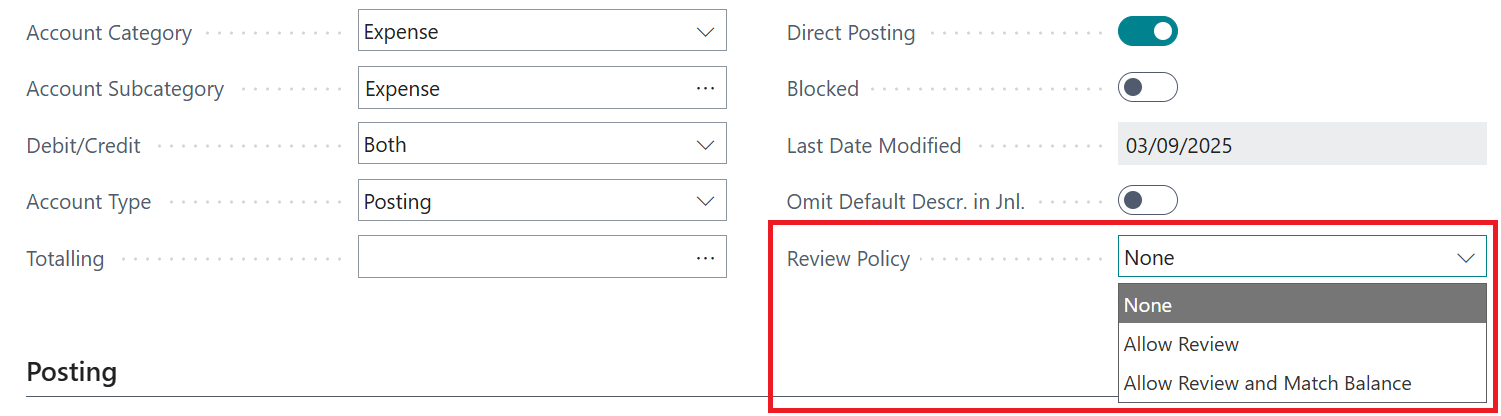
The table below will help you understand the three available options for the Review Policy to decide which one should be applied to each relevant G/L account.
| Review Policy | Description |
| None | You can’t mark entries for this account as reviewed. This works well for accounts like payables, receivables and bank accounts where other checks already take place. |
| Review Allowed | You can include entries in a review if you want to, and debit and credit amounts don’t need to match. You can also remove a review if needed. |
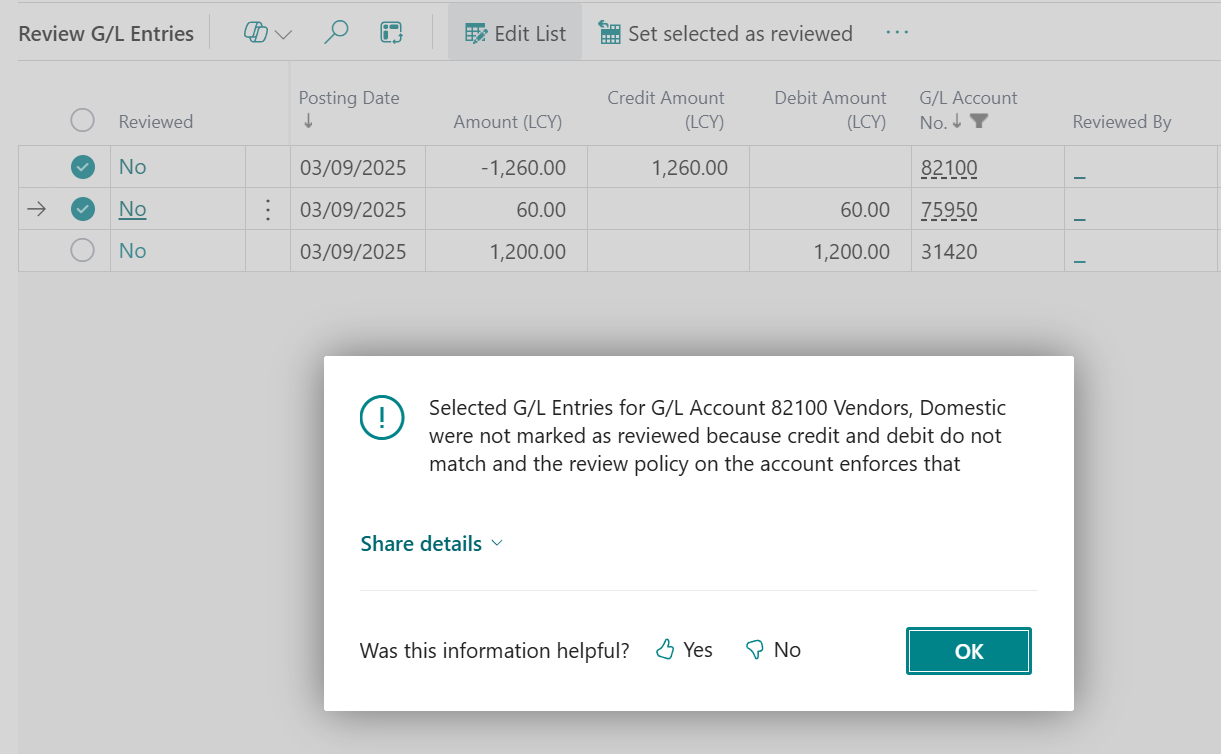
| Review Allowed and Match Balance | Debit and credit amounts in the review must match. The Debit, Credit and Balance fields help you keep track. You can still remove a review, but debits and credits must continue to balance. |
You can start reviewing entries from the G/L account or through General Ledger Entries.
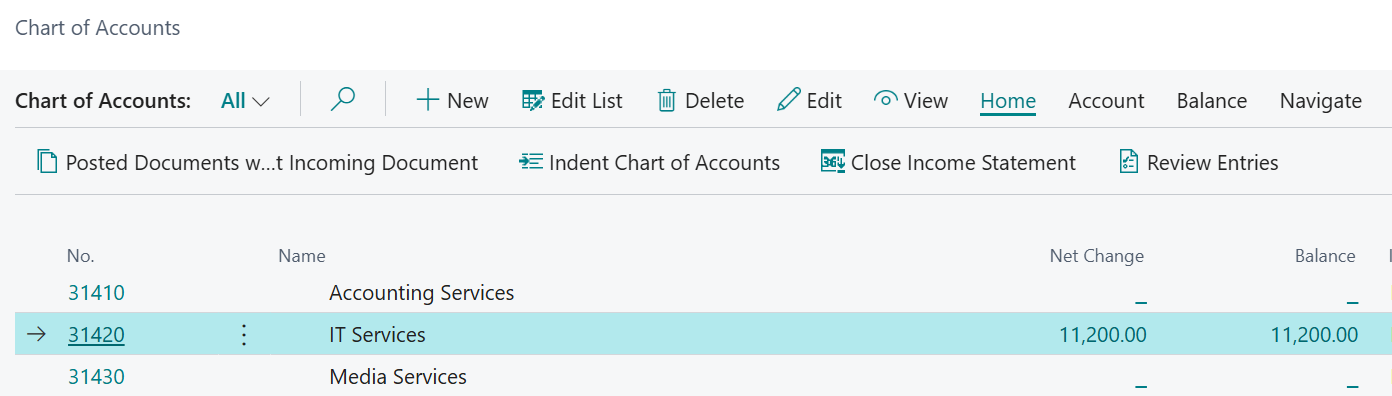
Marking entries as reviewed helps make your month-end checks quicker and easier. The audit trail also shows who reviewed the entries and when, and you can reset this if a mistake is made.
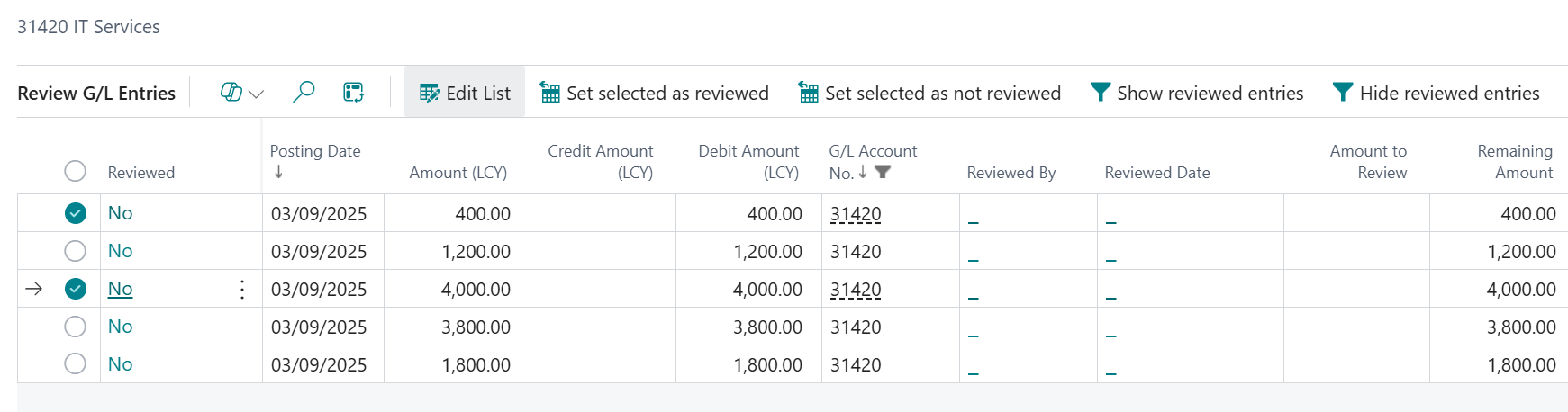
The Review Allowed and Match Balance option gives you confidence that entries across multiple G/L accounts match. If something doesn’t add up, you’ll see a clear warning so you can fix the issue before moving on.
In short, General Ledger Review helps you check your company’s financial information quickly and confidently, without needing deep technical or accounting knowledge – making month-end smoother and less stressful.
For Business Central training, or a conversation about moving your Business Central support to Tecman, drop us your details today.