











Before the General Ledger Account Currency Revaluation feature was available in Microsoft Dynamics 365 Business Central, you might have faced practical and control related challenges when managing foreign currency balances on balance sheet accounts.
If you post balance sheet items in foreign currencies using G/L accounts, these balances should be revalued before you produce financial statements. As exchange rates change over time, running a currency revaluation keeps your accounts accurate at the reporting date.
This function must be enabled for all users via the Feature Management.
This update adds a Revaluation tab to the G/L Account Card where you can set the required fields.
The setup shown here allows you to post multiple currencies to the G/L account.

You can then define which source currencies will post to this account.
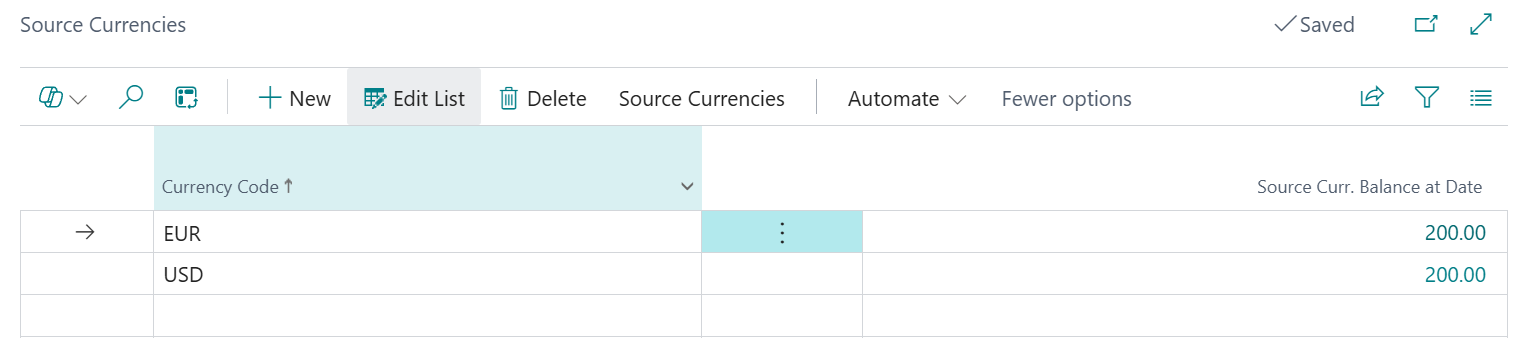
This gives you the flexibility to update only the G/L accounts that hold multiple currencies, as this will not always apply to every account.
Drilling into the G/L account balance now shows the source currency along with the source currency values.

The action to run the G/L Currency Revaluation is available from the Chart of Accounts.

Running this action creates a general journal for the gain or loss that needs to be posted. The calculation looks at the foreign currency balance for each foreign currency G/L account and applies the revaluation exchange rate. The difference between this and the current local currency balance creates the unrealised gain or loss.
Tip: Make sure you pick a general journal batch that does not have the “Copy VAT Setup to Jnl. Lines” option selected.

The journal is created with a total per currency for the gain or loss that needs to be adjusted. This is then posted manually.
What happens in next period?
When you run the revaluation again in Business Central, the system will recalculate using the new exchange rate.
This avoids double counting and ensures the profit and loss account only reflects movement for that specific period. The original entries remain unchanged. From a financial perspective this means:
For Business Central training, or a conversation about moving your Business Central support to Tecman, drop us your details today.